
HourStamp: Werkuren & loon
Overwerk en loonstrook check
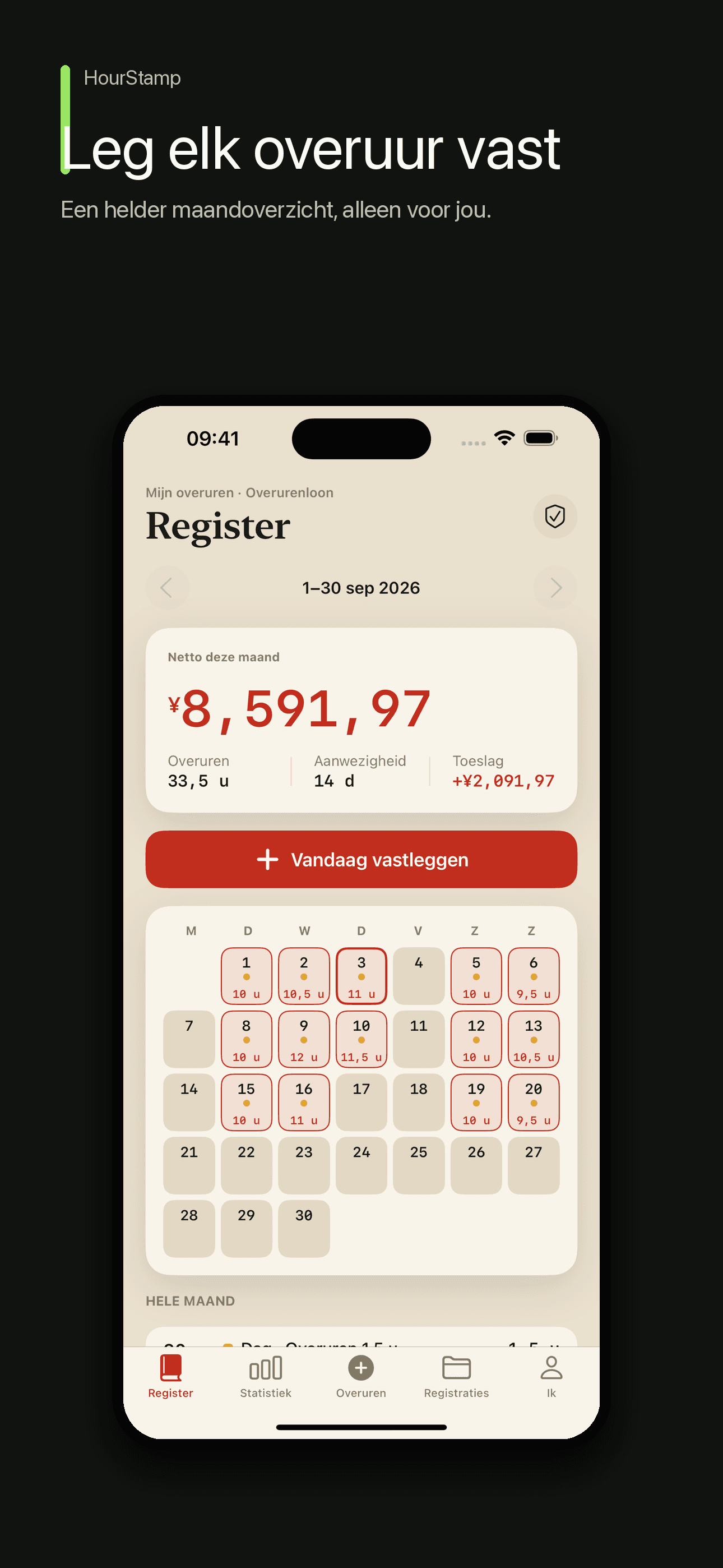
Elk gewerkt uur telt. HourStamp helpt je diensten en overwerk duidelijk voor jezelf vast te leggen en te begrijpen hoe elke loonschatting is berekend.
Noteer diensten en overwerk, bekijk schattingen per loonperiode, vergelijk bedragen op je loonstrook op het apparaat en exporteer een persoonlijk pdf-overzicht.

Core Features
Adds Up
Workdays, rest days, and statutory holidays stay distinct, with the hourly basis, pay period, and multiplier visible.
Keeps a Trail
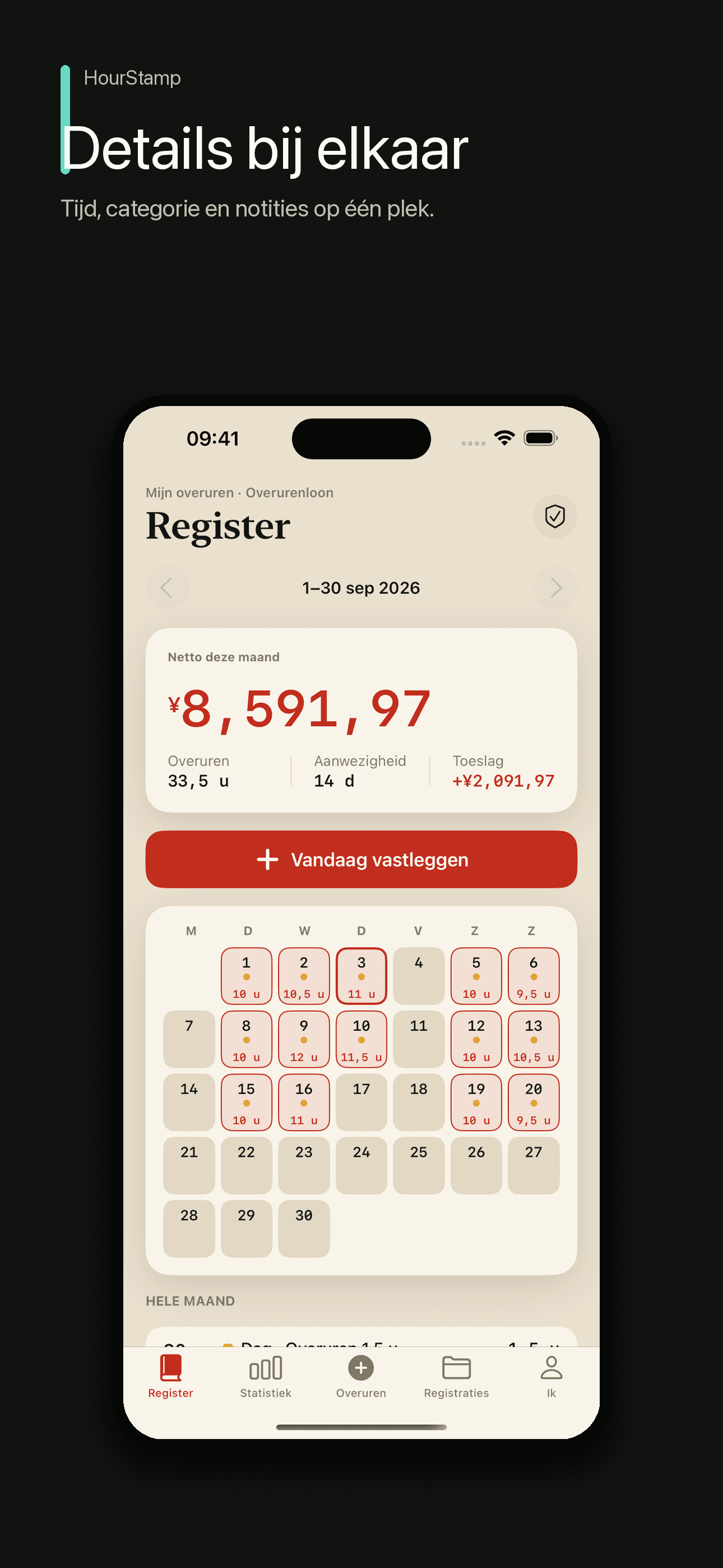
A stamp stores device time, pay settings, and the day calculation; explicit edits retain revisions and the PDF remains a personal summary.
On-device Check
Recognize common pay items on device and compare them with the ledger estimate; use the original payslip for manual review when recognition is incomplete.
No Tricks
No loans and no ads. Ledgers stay on device by default and can be exported as a manual backup.
Plans
HourStamp Pro Levenslang
Persoonlijk pdf-overzicht blijvend exporteren
HourStamp Pro Maandelijks
Deelbaar pdf-overzicht van je gegevens
HourStamp Pro Jaarlijks
Deelbaar pdf-overzicht van je gegevens
FAQ
What is HourStamp?
HourStamp is a work-hours, overtime, and wage record. The first release focuses on monthly-salary overtime logging and estimates. You can review each pay period, recognize a payslip on device, and export a personal record summary. No account is required.
Is it private? Where is my data stored?
It is local-first with no account system. Shifts, wages, ledgers, and stamps stay on your device by default, and you can export a backup manually. Automatic iCloud sync is not promised as a first-release capability. Camera, photos, and location are used only after permission. There are no ads or cross-app tracking.
How does the overtime pay calculation work?
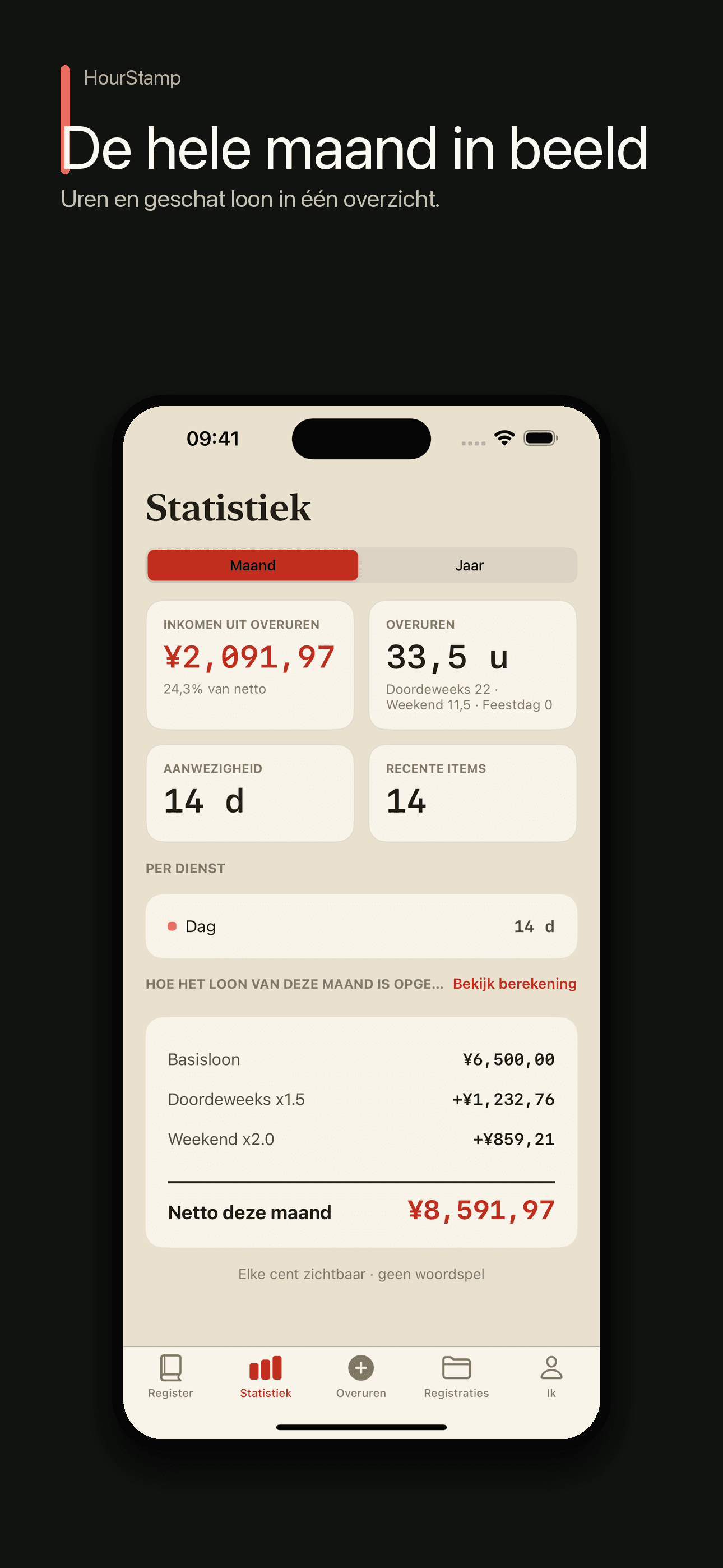
You pick your pay scheme and enter your base salary or rate. HourStamp then computes each day's overtime using the right multiplier — weekday ×1.5, weekend ×2, statutory holiday ×3 — auto-detecting the day type from a built-in holiday calendar. Every wage is broken out item by item, and the "which hourly basis" dispute (21.75 days / 174 hours vs the statutory 166.64) is spelled out so you can choose. The figures are estimates to help you keep records, not a legal determination.
What are the "stamp" and PDF record summary?
A stamp stores device time, the pay settings captured for the record, and its day-level calculation. Explicit later edits retain revisions. It is not third-party trusted time, and the exported PDF is a personal record summary rather than a legal determination by an arbitrator or court.
What stays free, and what does Pro unlock?
Logging, estimates, ledgers, and statistics are free, with no ads. HourStamp Pro unlocks shareable PDF personal record summaries and is available as a monthly or yearly subscription or a one-time lifetime purchase.
Guides & tutorials
- Public Holidays and Make-Up Workdays: How HourStamp Counts the DayStatutory holiday calendars for 44 regions across 2024–2027, including mainland China's official schedule and Taiwan's labour holidays with their make-up workdays. Multipliers can be tiered by hour where the law says so, and every amount is an estimate, not a wage determination.
- How Is a Pay Estimate Calculated? | HourStampHourly basis, cycle dates and the day-type multiplier stay visible on every estimate, and the 21.75-day versus 166.64-hour dispute is spelled out so you can choose. HourStamp also checks a payslip on device.
- How to Keep a Personal Record of Hours Worked | HourStampA record only helps if it survives being questioned. HourStamp stamps device time, pay settings and the day calculation, keeps explicit edits as revisions, stores the ledger on device with no account, and exports a PDF summary.