Buckmoon: Время охоты на оленя
Прогноз активности, ветер, гон
Утром или вечером, и с какого лабаза? Buckmoon отвечает на одном экране: оценка дня, лучшее окно в часы охоты и лабазы, где ветер за вас. Без аккаунта и входа.
Оценка дня, лучшее окно в часы охоты и проверка ветра для вашего лабаза, и на экране блокировки тоже. Сегодня и завтра бесплатно навсегда, без аккаунта.
Core Features
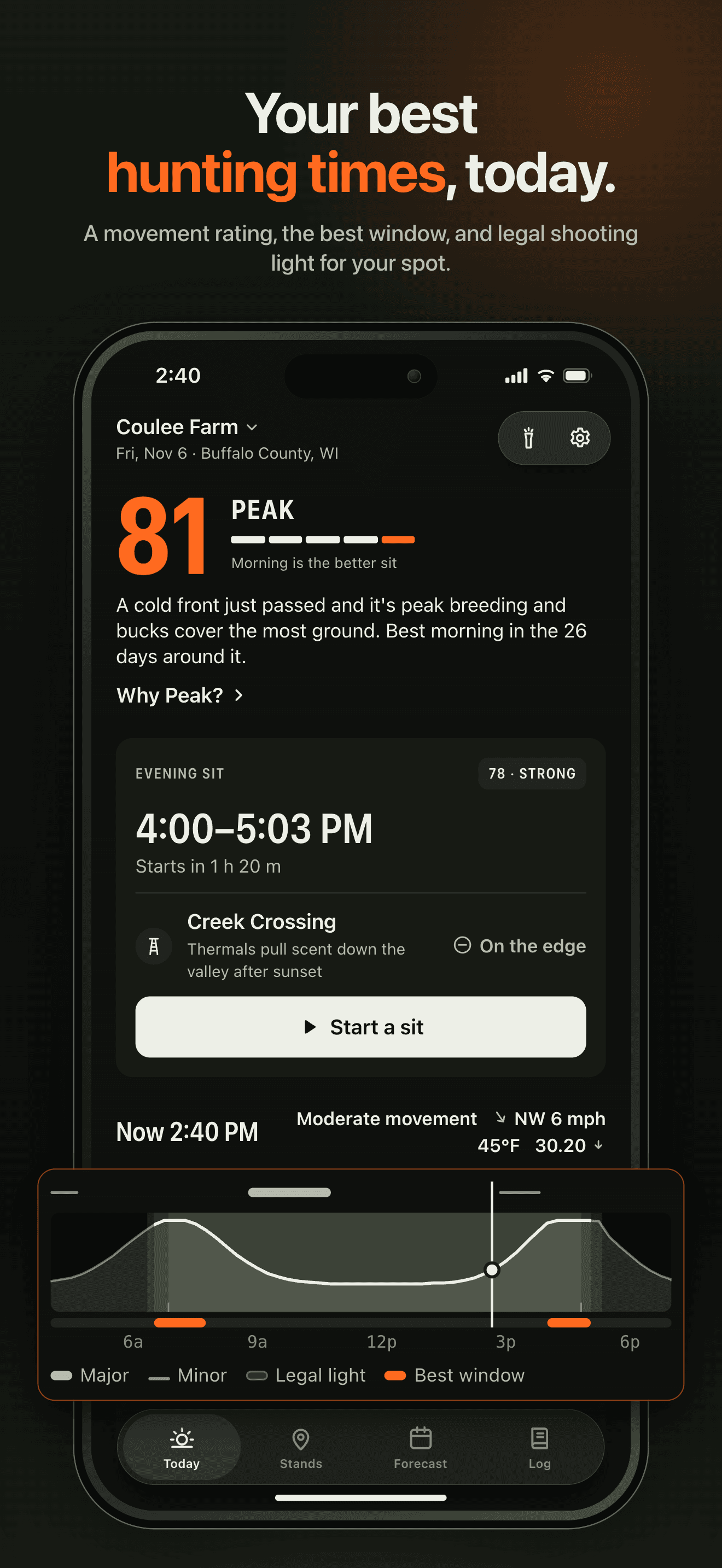
The Best Window, Inside Legal Light
Every morning and evening sit gets a rating, and each reason comes with its number. Sun and moon times are computed on the phone for your spot, and the best window always sits inside legal light, your state's rule applied to sunrise and sunset there.
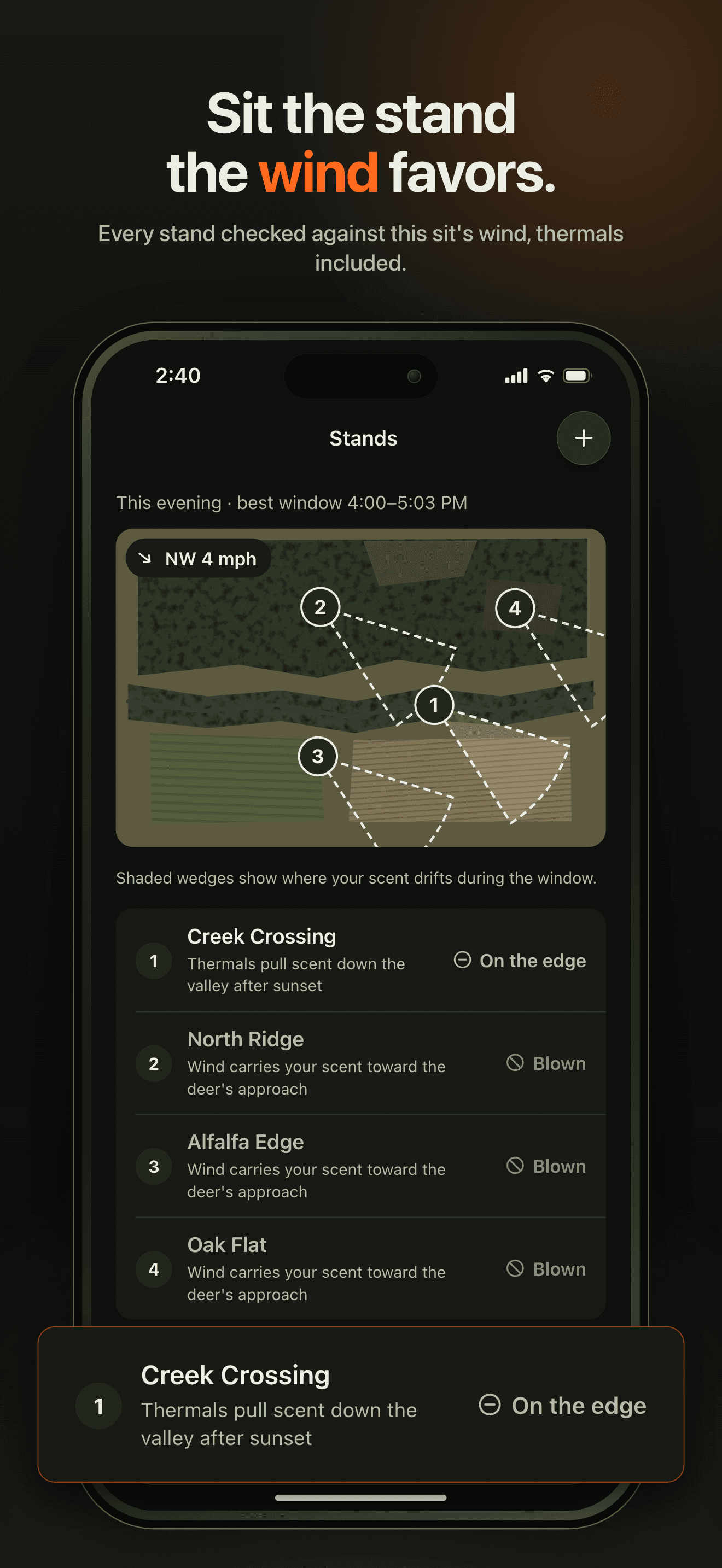
A Wind Check for Every Stand
Add your stands and set the side deer come from. Buckmoon calls the wind for each one, good, on the edge or blown, and on iPhone the satellite map draws each stand's scent cone. Free checks one stand; Pro ranks all of them for each sit.
A Sit Log That Keeps the Conditions
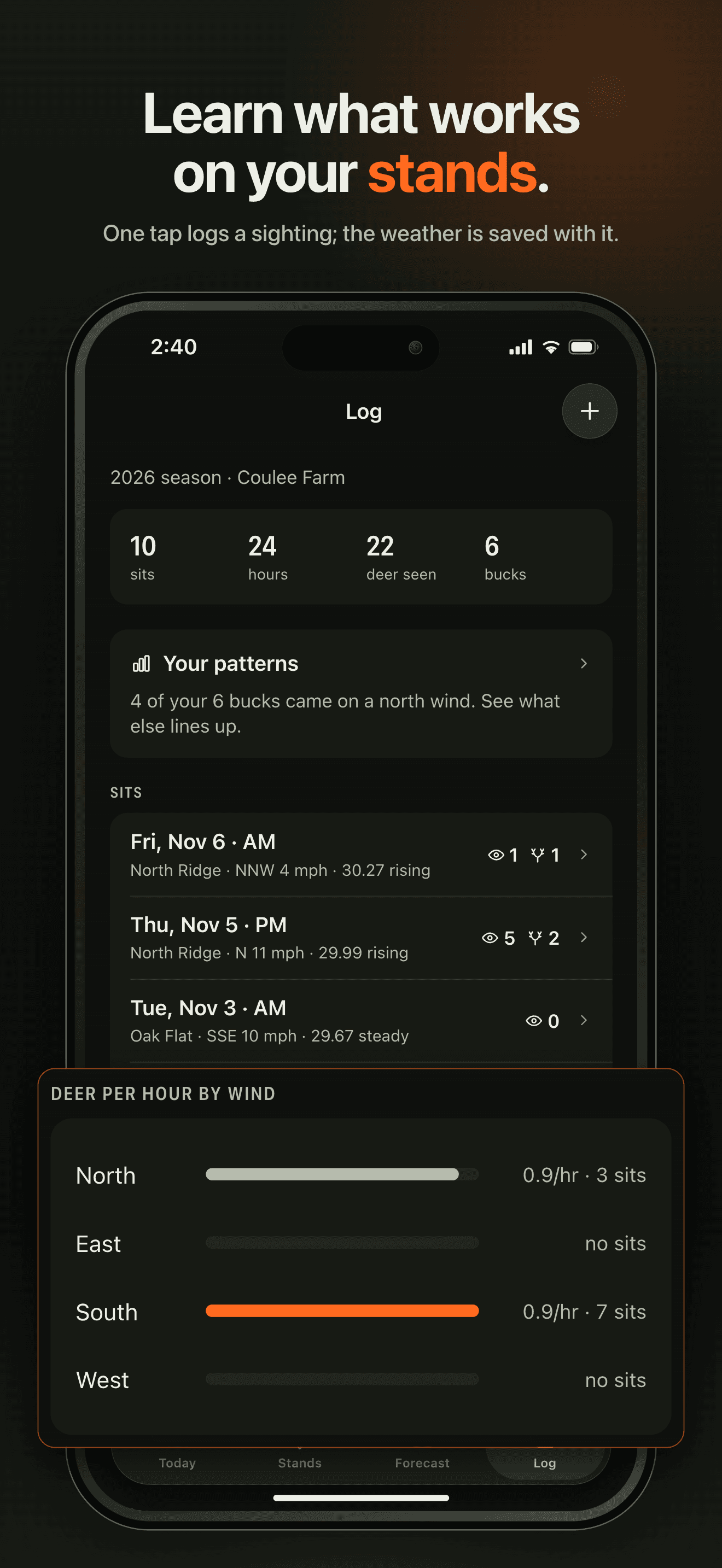
Log a buck or doe in a tap or two. Every sit keeps the wind, pressure, temperature, moon and rating, and with Pro your own patterns compare deer per hour by wind and pressure.
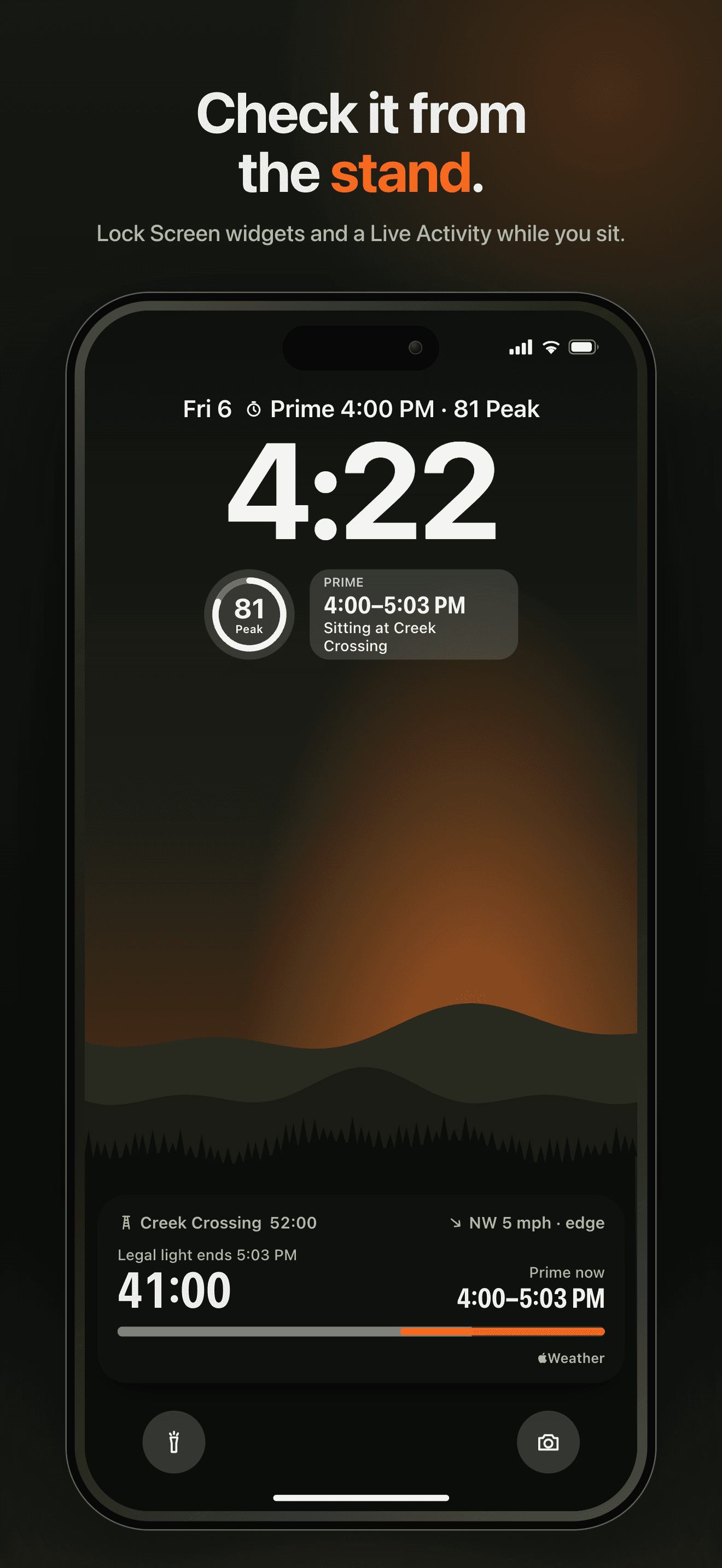
Without Opening the App
Widgets show today's rating and the next best window. While you sit, the Lock Screen counts down legal light, and red light keeps the screen from lighting you up.
No Account, and Your Spot Stays Yours
Nothing to sign up for. Your stands and log stay on your phone, your exact spot never goes to Buckmoon's servers, and you can export sits as CSV and stands as GPX or KML.
Plans
Buckmoon Pro на месяц
10 дней · лабазы · закономерности · фронты
Buckmoon Pro на год
10 дней · лабазы · закономерности · фронты
FAQ
What is Buckmoon?
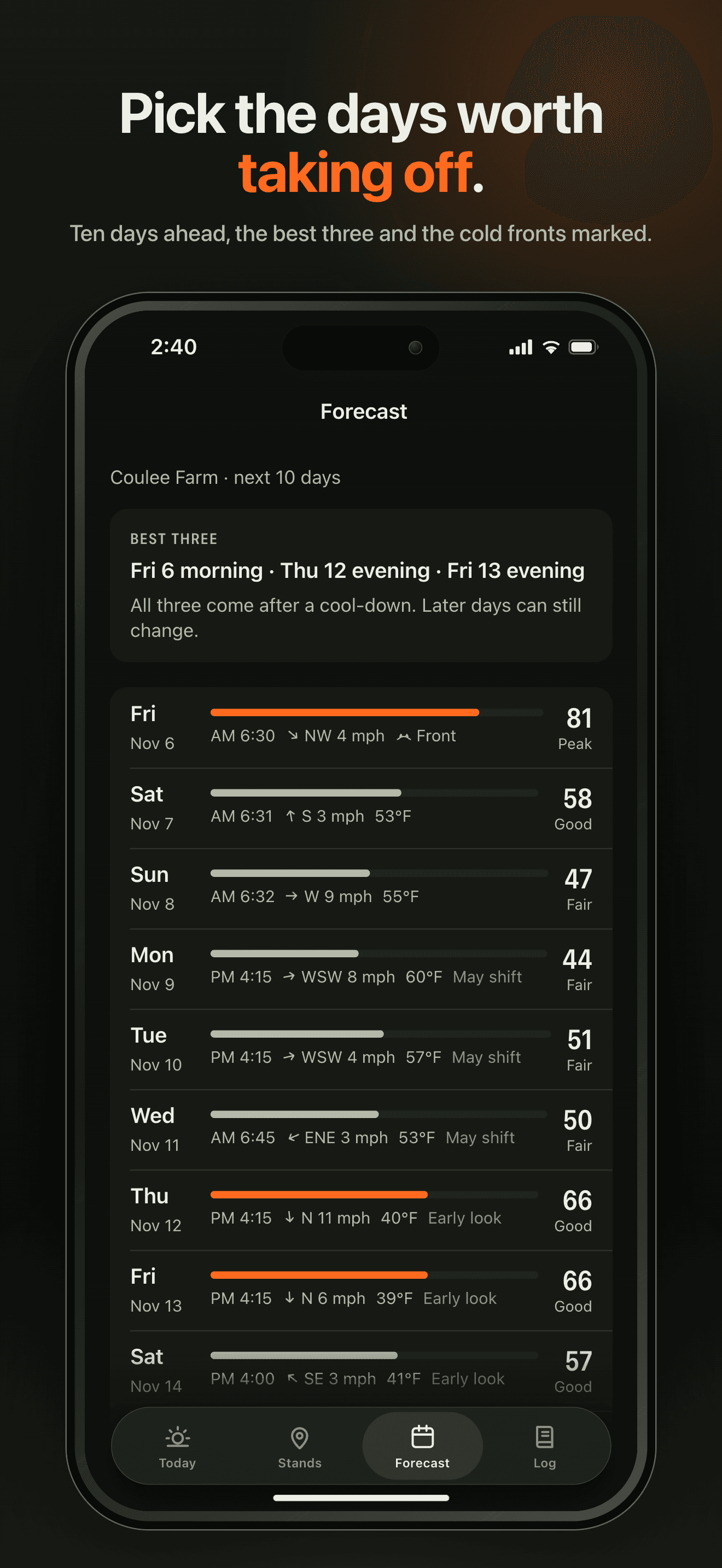
Buckmoon shows hunting times for whitetail deer hunters in the United States. For your spot it rates today's morning and evening sit from 0 to 100 with the reasons behind it, shows the best window inside legal light, the sunrise, sunset and moon times, which of your stands the wind favors, and the next 10 days with an approximate rut phase. A sit log keeps the conditions of every sit, and widgets and the Lock Screen show the day without opening the app.
What does the rating mean?
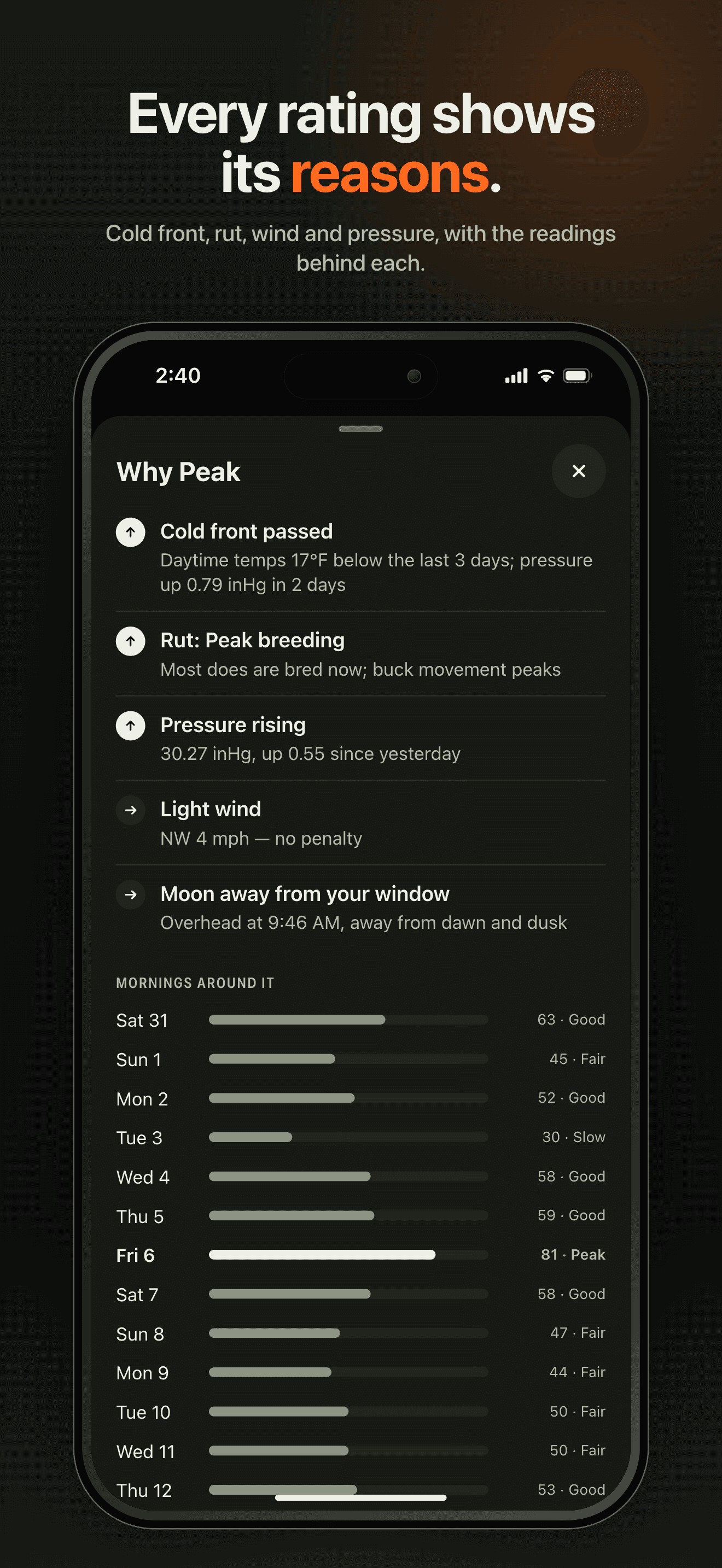
It compares the odds at your spot against other days. It is built from the temperature against the last few days, the pressure trend, wind, rain, the hours around sunrise and sunset, and the rut phase, and the morning and evening sit are rated separately. Moon windows are shown, but they don't change the rating: in GPS-collar studies the moon's position didn't change bucks' activity. Tap Why to see every reason with its number. Deer move every day: the rating can't promise a deer, and a slow day can still be the day.
How does Buckmoon work out legal light? Is it the law?
Legal light is your state's shooting-hours rule applied to sunrise and sunset at your spot. It doesn't know season dates, zones, weapon types or Sunday rules, and it isn't legal advice — your state's regulations are the final word. Buckmoon rounds the start up and the end down to the whole minute, so rounding never widens the window. Six states set their hours by official tables, and there the table wins: Buckmoon works out Maine's times at Bangor, as the state does, and in Washington, Wisconsin, Michigan, Montana and Pennsylvania it pulls the window in to stay inside the table, so it can start later and end earlier than the table's times. Settings › Legal light shows the rule, its source and when it was last checked.
Where does Buckmoon work?
In all 50 US states, and you can look up a spot anywhere in them from wherever you are. Buckmoon is sold in the United States only. In Alaska and Arizona, which don't set hunting hours in minutes, Buckmoon shows sunrise and sunset with a note instead of legal light.
What is free, and what does Buckmoon Pro add?
Free for good: today and tomorrow with their ratings, best windows and reasons, every hunting time, one stand with its wind check, the sit log and exports, widgets, the sit on your Lock Screen, heads-ups before a best window and the night before a strong day, and red light. Pro adds the full 10-day forecast with the best three days, a wind check for every stand ranked for each sit, all of your patterns, and cold-front heads-ups.
Which plans are there, and how do I cancel?
Buckmoon Pro is yearly, with a 7-day free trial for new subscribers, or monthly. Both unlock the same features and renew automatically until you cancel. On iPhone, cancel in Settings › your name › Subscriptions; on Android, in Google Play › Payments & subscriptions › Subscriptions. On iPhone you can restore a purchase from the Pro screen.
Does Pro carry over between iPhone and Android?
No. Buckmoon has no account, so Pro stays with the Apple ID or Google account you bought it with and doesn't move between iPhone and Android.
What happens to my stands and log if I cancel Pro?
They stay. Nothing is deleted or locked away: your stands, sits, sightings and exports all remain, and only Pro's features go back to the free version, with one stand of your choice keeping its wind check.
Do I need an account? What does Buckmoon know about where I hunt?
There is no account. Your stands and log stay on your phone, and your exact spot never goes to Buckmoon's servers: weather is looked up for the 5 km area around it. Maps and place search come straight from Apple on iPhone; on Android, place search comes from your phone's geocoding service, usually Google's. They see the map area, what you search for and the coordinates used to look up a place. The privacy policy has the details.
Where is my log kept, and can I export it?
On your phone, and in your own iCloud or Android device backup. There is no cloud sync. Settings › Your data exports your sits as CSV and your stands as GPX or KML. Deleting the app deletes the log from the phone, so export first if you want to keep it.
When do heads-ups arrive?
There are three, each with its own switch in Settings: 15 minutes before a best window opens, at 7:30 PM the evening before a strong day, and with Pro, a couple of days ahead of a cold front. They are worked out and scheduled on your phone, so they need notifications turned on for Buckmoon but no connection at the moment they arrive.
Where does the weather come from?
From Apple Weather, hour by hour and up to 10 days out, fetched through Buckmoon's server for the area around your spot. Ratings and best windows use Apple Weather data, modified by Buckmoon. Days 4 to 6 may shift and days 7 to 10 are an early look.
What is red light?
From civil dusk to civil dawn, and while you sit, the whole app turns a single red so the screen doesn't light you up on the walk in or in the stand. You can turn the automatic switch off in Settings, or flip red light on and off with the button at the top of Today.