
WaveCraft-استوديو تسجيل صوت
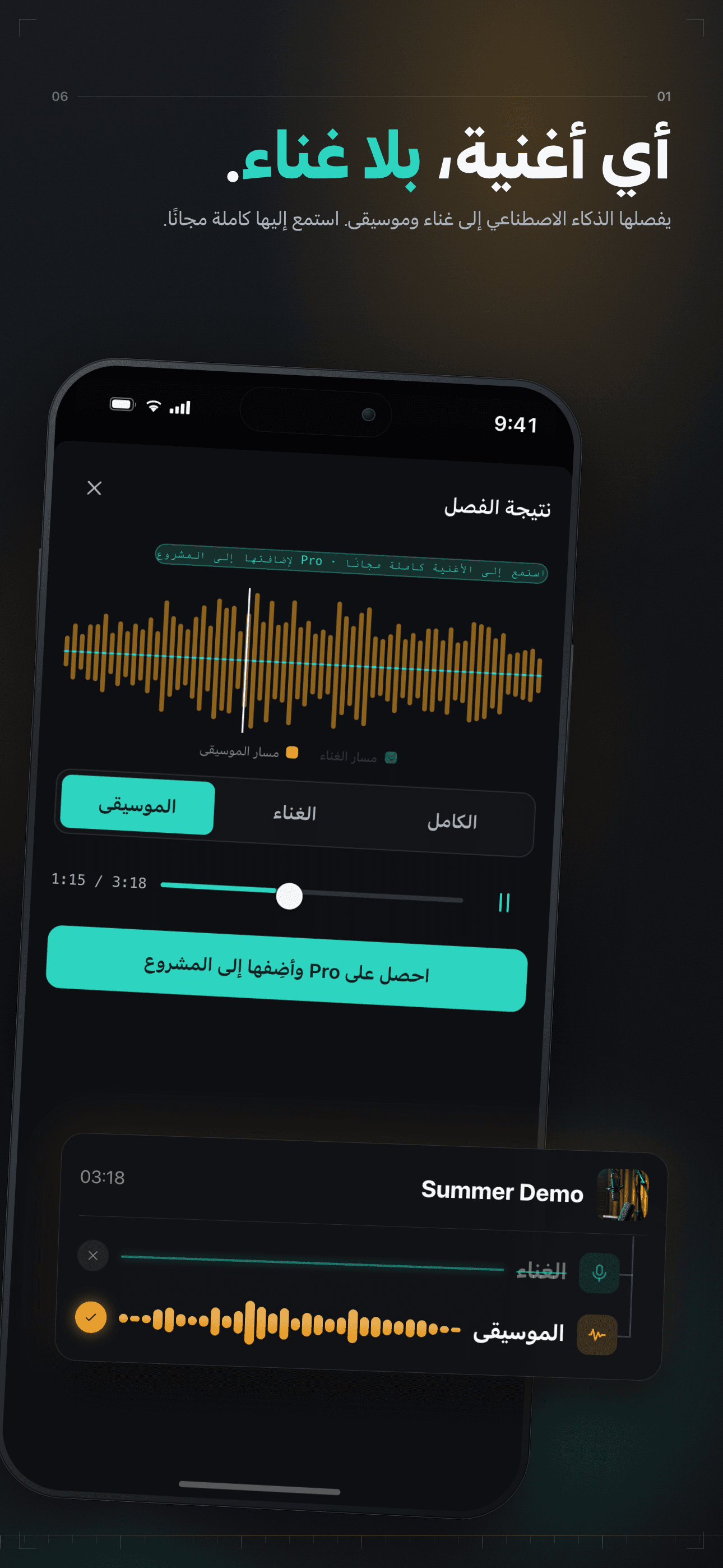
فصل الصوت، مزج بذكاء اصطناعي
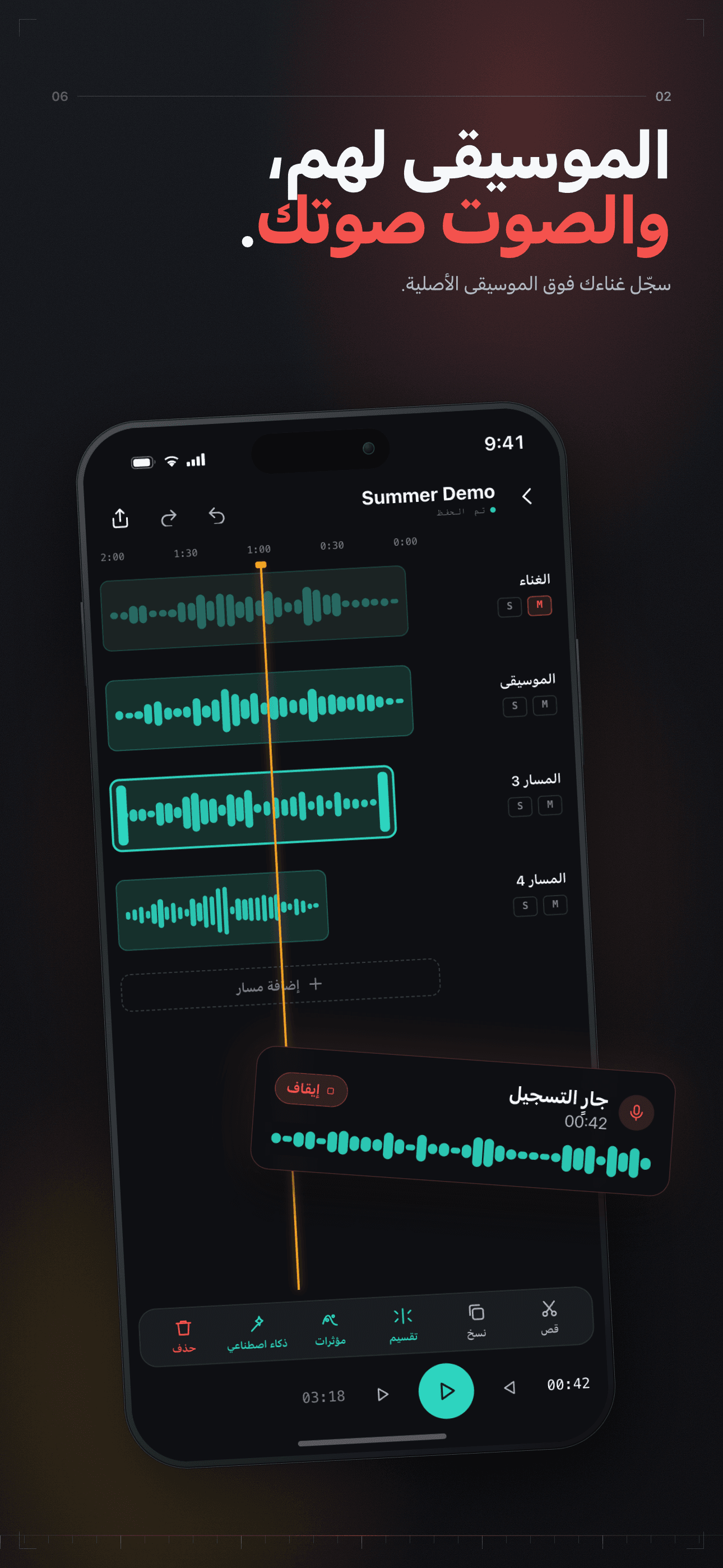
أحضر أغنية، واجعلها على طريقتك.
أزل الغناء من أي أغنية بالذكاء الاصطناعي، واستمع إلى النتيجة كاملة مجانًا قبل أن تقرر. كما يتضمن تغيير الطبقة والإيقاع، ومؤثرات الاستوديو، والتصدير بلا فقدان.


Core Features
Multi-Track Editing & Mixing
Record a take, then layer it on a timeline with no track limit; split, speed, fades, volume, and effects mixing — pro power within reach.
On-Device AI
AI vocal separation, denoise, vocal enhance, loudness normalization, and auto-mix — all on-device, your audio never leaves the phone.
Effects & Mastering
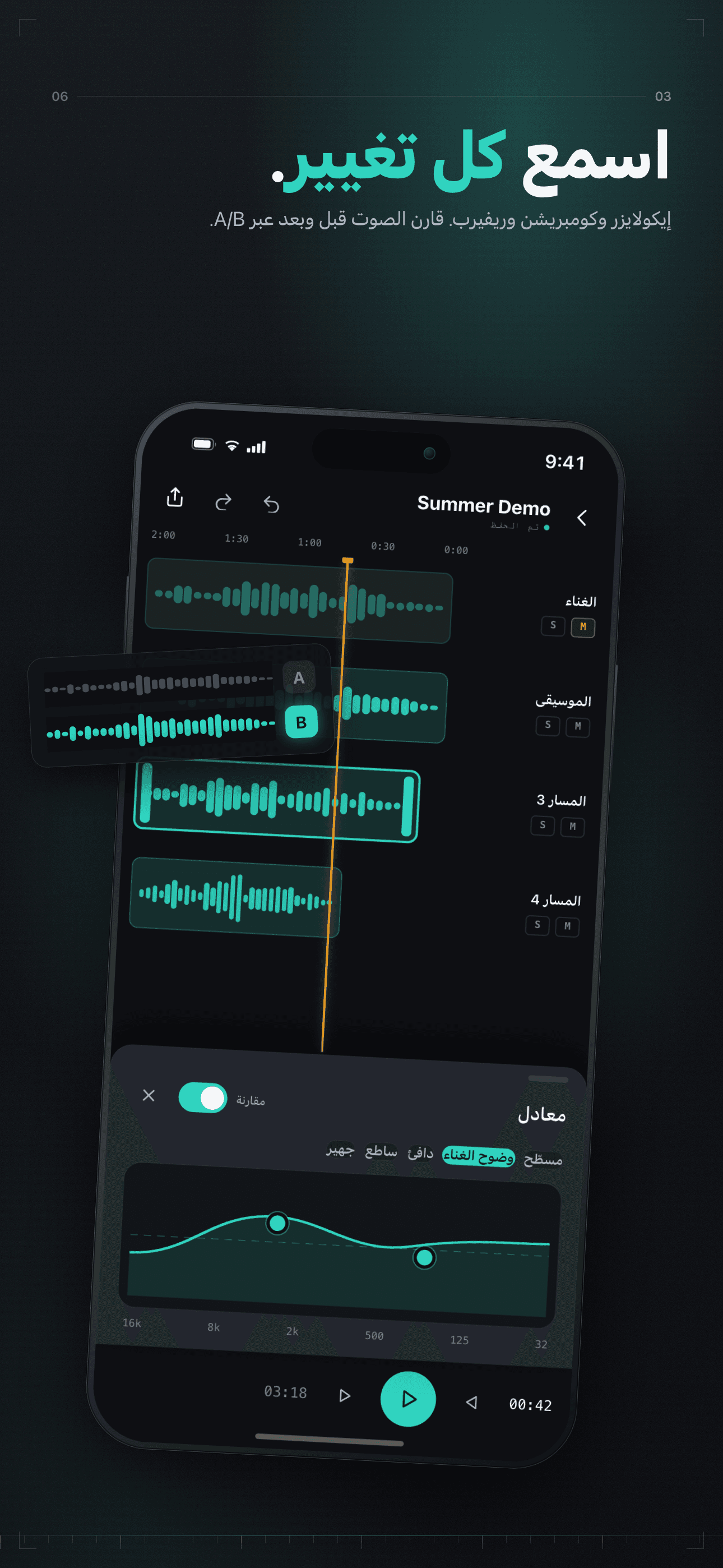
Effects — EQ, reverb, compression, limiting, modulation — plus mastering presets to polish your sound in a tap.
Local-First Privacy
Recordings, projects, and exports all live on your device — never uploaded by default, no account needed.
Plans
وصول مدى الحياة
فتح لمرة واحدة للأبد
شهري
افتح جميع ميزات Pro
سنوي
افتح جميع ميزات Pro
FAQ
What is WaveCraft?
WaveCraft is a multi-track audio editor and recording studio for creators. Record a take, then layer it on a timeline with no track limit; split and time-stretch on the timeline, mix with 30+ presets across 14 studio effects, separate or denoise vocals with on-device AI, pull the audio track out of a video, and export losslessly (WAV / ALAC / FLAC). Everything runs locally on your iPhone or iPad.
Is my audio uploaded to the cloud?
No. WaveCraft is local-first: your recordings, projects, and exports live on your device, and the AI processing (vocal separation, denoise, mastering) runs on-device. Your audio is never uploaded by default, and no account or sign-in is required to use the app.
What do I get with WaveCraft Pro?
Pro adds five things: AI vocal separation (split vocals out of any track), AI auto-mix, the mastering chain, stem export, and batch export. Everything else is free whether you subscribe or not — every audio effect and all 30+ presets, multitrack editing, lossless WAV/ALAC/FLAC export, extracting audio from video, AI denoise, and AI loudness normalization. There is no free trial: the paywall goes straight to "Subscribe", and you are charged when you subscribe.
How do I cancel my subscription?
Open iOS Settings → tap your Apple ID at the top → Subscriptions → WaveCraft → Cancel. Cancellation takes effect at the end of the current billing period, and Pro features stay available until then. Apple manages all subscription billing; WaveCraft cannot charge or refund you directly.
How do I restore a purchase on a new device?
On the paywall, tap "Restore". This re-checks your Apple ID and re-activates an active subscription or your Lifetime purchase — useful after reinstalling or switching devices. Because purchases are tied to your Apple ID, no account or password is needed.
Monthly, Yearly, or Lifetime — what's the difference?
Monthly and Yearly are auto-renewing subscriptions (Yearly costs less per month). Lifetime is a single one-time purchase that unlocks every Pro capability permanently with no recurring billing, and it supports Family Sharing. All three unlock the same Pro capabilities.
Which formats can I export, and can I pull audio from a video?
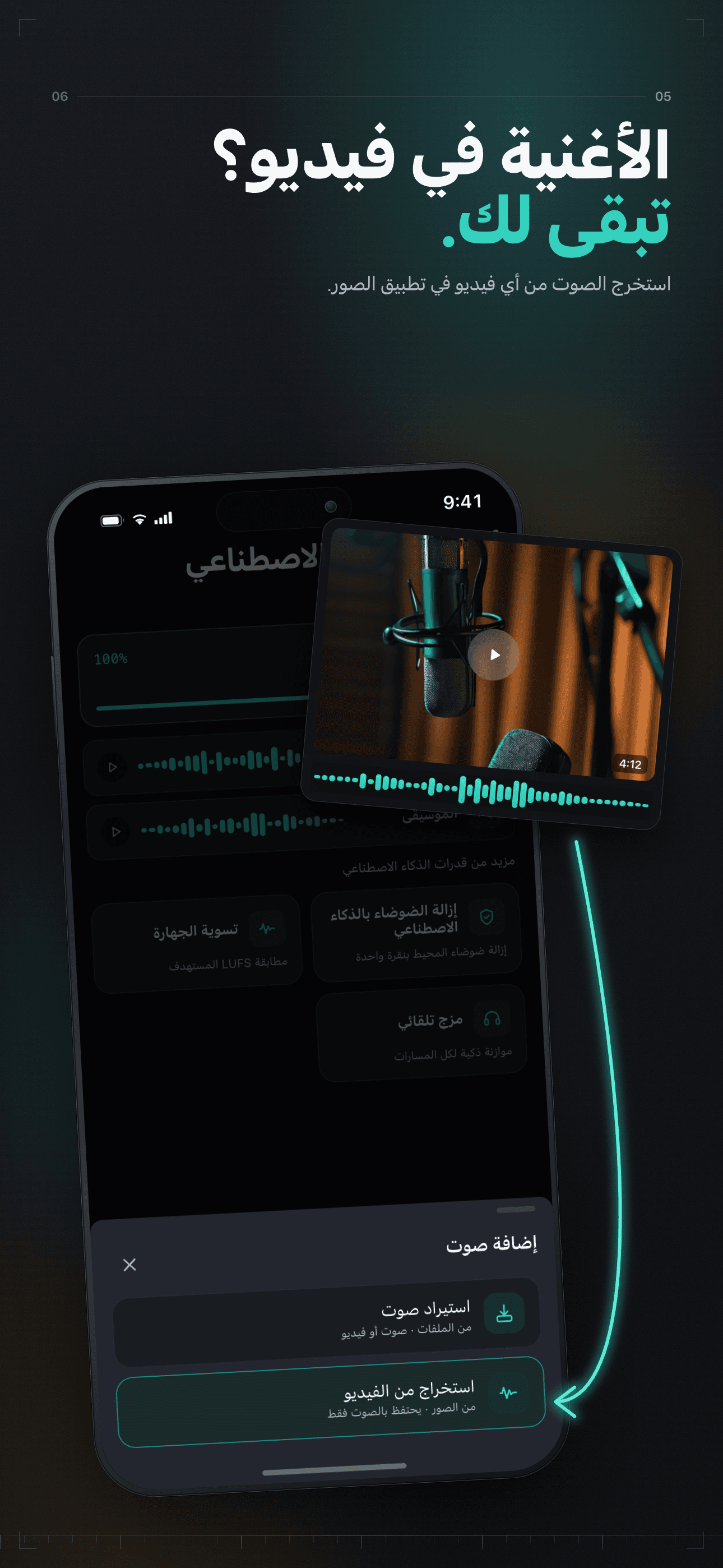
You can export losslessly to WAV, ALAC, and FLAC (plus standard compressed formats) — no Pro required. You can also import a video and extract its audio track into a project to edit, clean up, or remix, all processed on-device.
I still need help — how do I contact support?
Email us at [email protected] with your question, your device model, and your iOS version, and we will get back to you. We typically reply within 1–2 business days.
Guides & tutorials
- How to Remove Vocals from a Song | WaveCraftRemove the vocal from any track on your iPhone in one pass. What separation actually does to the mix, which sources separate cleanly, what no tool can fix, and what the two outputs really give you.
- Vocal Separation vs Stem Separation: What Each One Is For | WaveCraftVocal separation gives you two files; stem separation gives you four. What each one is actually good for, why four-way separation can sound worse than two-way, and how to tell which one your track needs.
- How to Denoise a Recording on iPhone: What the Tool Actually Measures | WaveCraftNoise reduction estimates the steady noise in your take and subtracts it, frequency by frequency. What it measures before it runs, what the strength slider does, what it cannot fix, and the order that works.
- How to Make a Karaoke Track: Vocal Removal, Bleed, and Rights | WaveCraftMake a karaoke track on your iPhone with WaveCraft: separate the vocal, keep the instrumental, clean the bleed, and understand the copyright line between private practice and public upload.
- Can I Record a Full Song on My Phone? | WaveCraftYes — a full song can be recorded and finished on a phone. The whole WaveCraft session from first take to lossless export, which stages are free, and exactly where a phone session stops.
- Audio Mastering on Your Phone: What the Chain Actually Does | WaveCraftWhat mastering on a phone actually is: the compressor, the limiter and the loudness target behind WaveCraft's three presets, the real LUFS and ceiling numbers, and the four things mastering cannot fix.