MenuLens-Menu Photo Translator
Snap menus. Order with ease.
You sit down at a small restaurant in a city you've never been to.
A foreign menu shouldn't be a wall. Snap it, understand every dish, get picks tailored to your taste, order without miming.
iOS 17.0+Productivity



Core Features
Understand the Menu
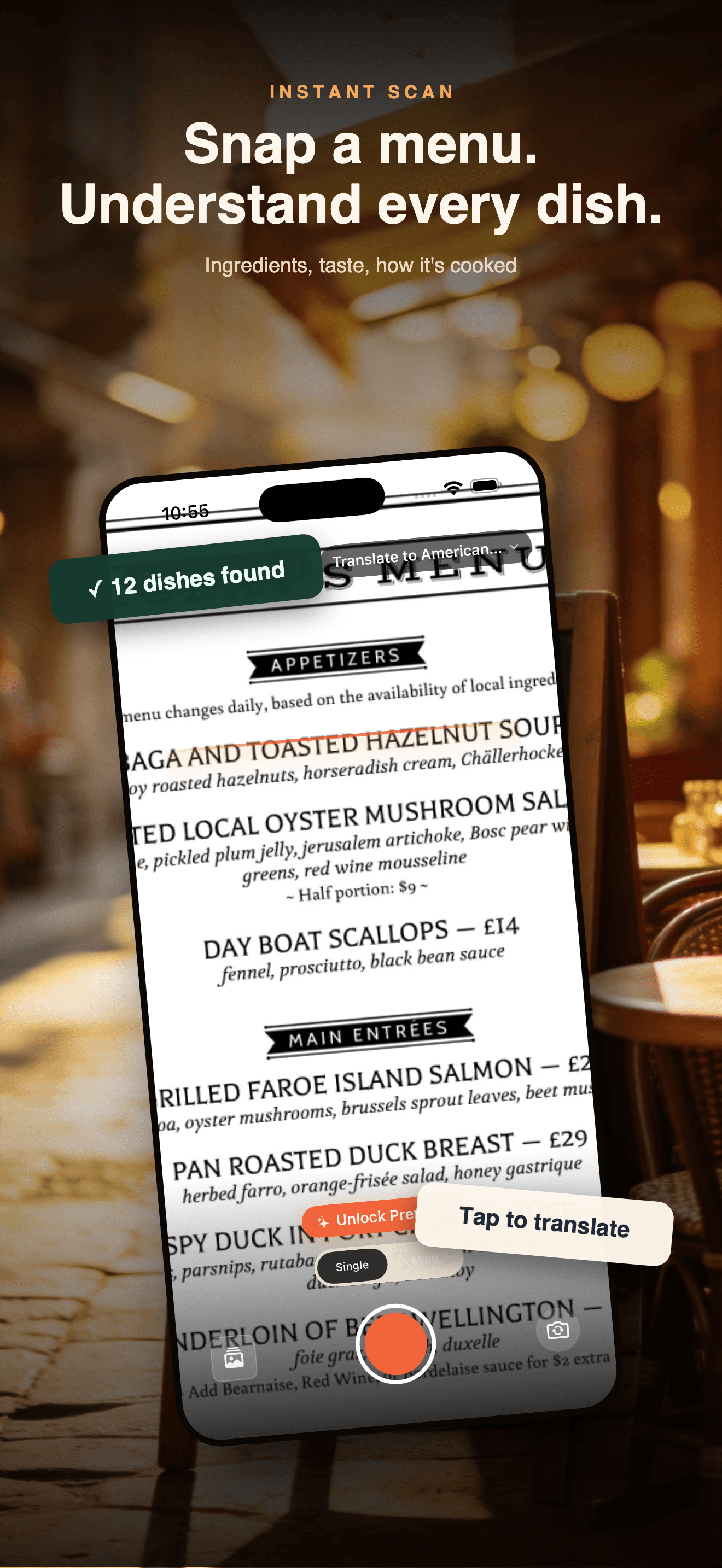
Photograph a menu for structured explanations of ingredients, preparation, and flavor, beyond word-for-word translation.
Picks Around Your Needs
Filter the current menu using the tastes, dietary restrictions, and allergens you choose to provide, with the reasoning kept visible.
Order in the Local Language
Generate an order you can show directly and use two-way voice translation when a conversation is needed.
Plans
VIP Day Pass (7 Days)
7 days unlimited menus & AI picks
Premium Monthly Subscription
Unlimited menus & AI picks
Premium Yearly Subscription
Unlimited menus & AI picks · Save 50%
Guides & tutorials
- Getting Started with MenuLens: Your First Menu, Step by StepHow MenuLens works from install to your first translated menu: Apple sign-in, the five permissions, the 10 free scans, and exactly what a Premium subscription adds.
- How MenuLens Translates a Menu: Target Language, Region, and PreferencesA menu translation is only as good as its context. How target language, region, and your stated preferences change what MenuLens produces, and the limits to know before you rely on it.
- Dish Details in a Menu App: What MenuLens Shows and What It GuessesEvery dish page shows a name, an ingredient guess and a flavor note. Here is what MenuLens puts on that page, where the AI inference stops being reliable, and how a pick becomes an order sheet.
- MenuLens FAQ: Free Scans, Photos, Billing, and What AI Must Not DecideWhat happens to the menu photo you take, the free scans you get before Premium, how billing and refunds work, and the one question AI output must never be trusted to answer.