
穩拍:節拍器·練琴打卡
練琴紀錄 · 鎖定畫面也準 · 無廣告
穩拍是一個鎖定畫面也準的節拍器,加上一本會自己往前走的練琴本。
鎖定畫面也準的節拍器,加上一本會自己往前走的練琴本:彈穩了,隔天就快一級。節拍器和調音永久免費,沒有廣告,無帳號,不追蹤。


Core Features
Keeps Time When the Screen Locks
Every beat is scheduled on your device's audio clock, not a screen timer. Lock the screen, switch to your sheet music or get a message, and the beat holds steady.
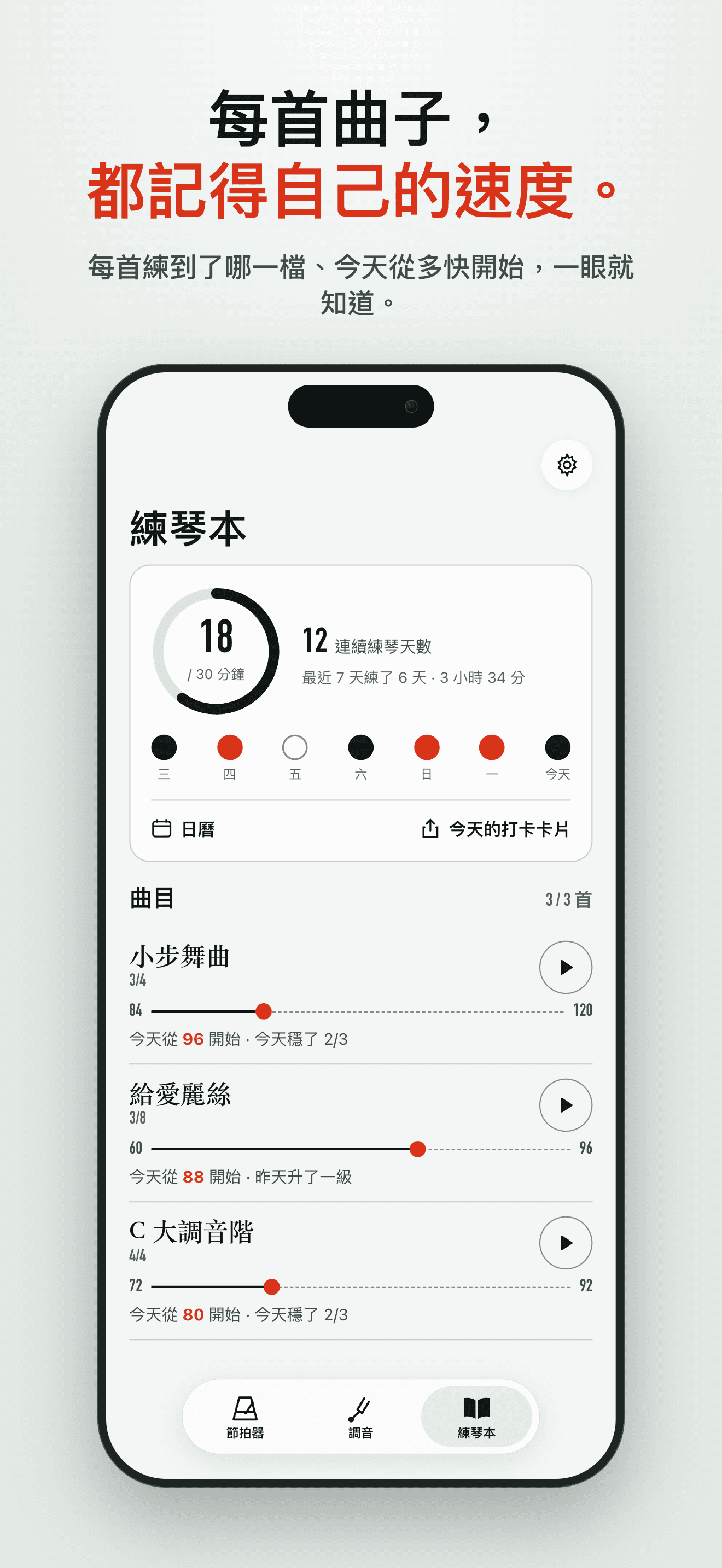
A Practice Book That Moves You Forward
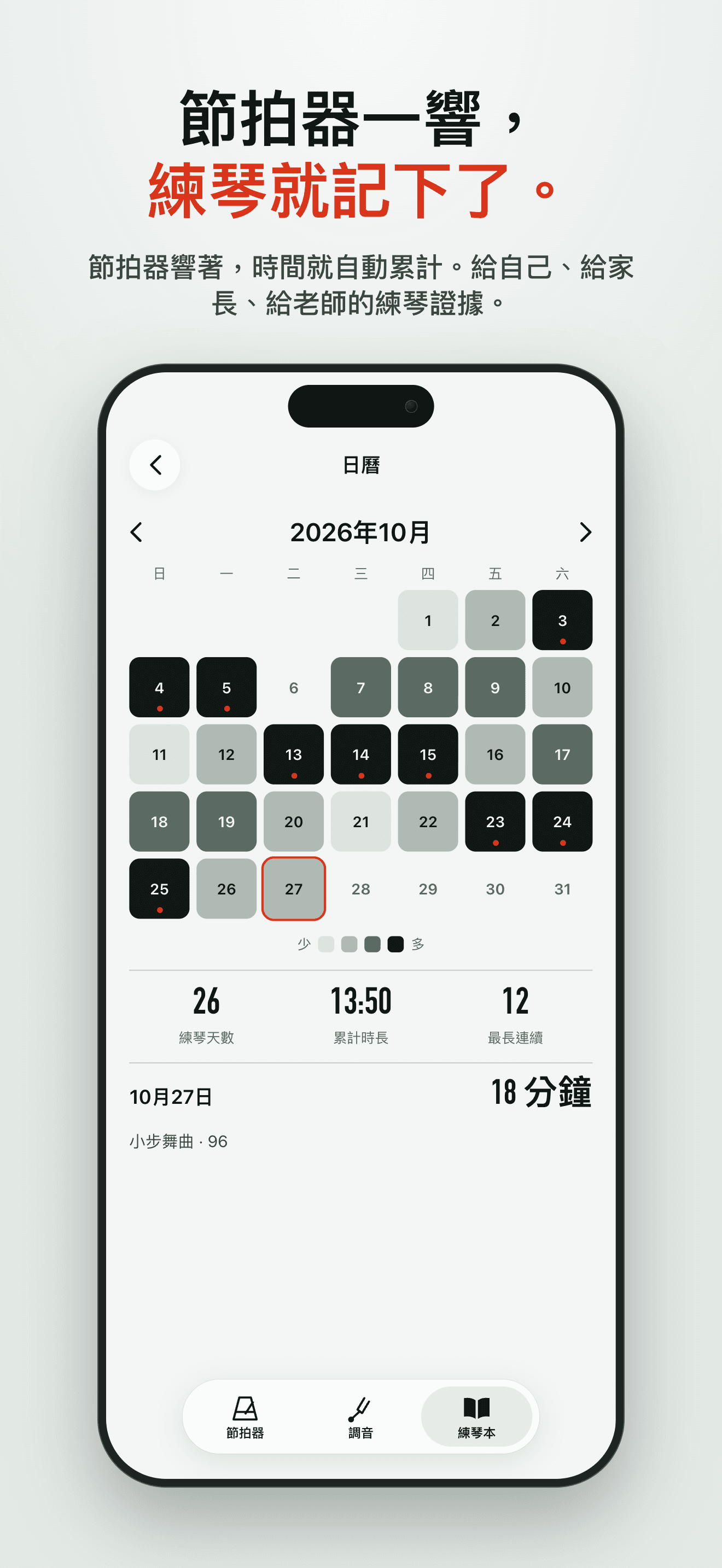
Give each piece a starting tempo and a goal. Mark the steady runs, and once a tempo is solid the next day starts one step faster. Today's practice and every day you played are on the calendar.
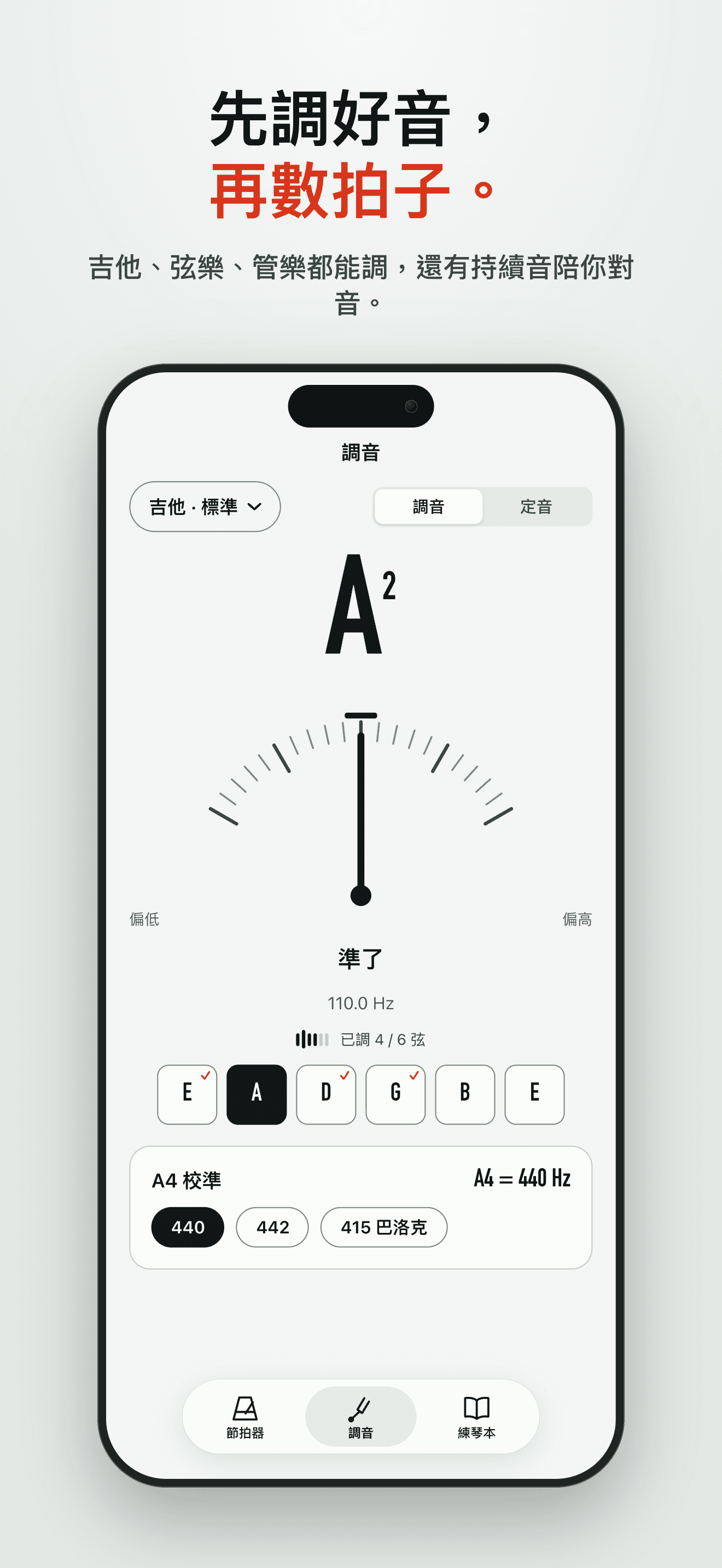
Tuner, Drone and Recording
Tune before you start, or hold a drone note and practice your intonation against it. Record a take to hear how it really sounded.
Free Forever, No Ads
The metronome, tuner and practice tools are free forever, with no ads. No account, no tracking — your practice book and recordings are stored on this device.
Plans
穩拍 Pro 終身版
一次買斷:曲目不限,錄音可存檔
FAQ
What is Tempobook?
Tempobook is a metronome that keeps time when your screen locks, plus a practice book that moves each piece's tempo forward for you. Give a piece a starting tempo and a goal, mark the runs you play steadily, and once a tempo is solid, the next day starts one step faster. It also has a tuner with a drone, and a quick way to record a take. There is no account and nothing to sign up for.
Does the metronome really keep time when the screen is locked?
Yes. Tempobook schedules every beat on your device's audio clock instead of a screen timer, so locking the screen, switching to your sheet-music app or getting a notification doesn't make it rush or drag. A phone call stops it; press play again when you're back.
What's free, and what does Tempobook Pro add?
The metronome, the tuner and drone, the practice tools and recording are free forever, with no ads. The practice book is free for up to three pieces, with the tempo ladder and calendar included. Tempobook Pro adds two things: no limit on the number of pieces, and an archive of your recordings — the free version keeps your latest take.
Is Pro a subscription? Can my family use it?
No. Tempobook Pro is a single one-time purchase that never renews, so there's nothing to cancel, and it will never become a subscription. It works with Family Sharing, so the people in your family group can use Pro too at no extra cost. If a child's account uses Ask to Buy, the purchase waits until a parent approves it. Billing is handled by Apple.
How do I restore my purchase on a new device?
Open the Pro screen and tap "Restore Purchases". Tempobook checks your Apple ID with the App Store and turns Pro back on — no account or password needed. This works after reinstalling and on any iPhone or iPad signed in with the same Apple ID.
Does Tempobook listen through my microphone? What happens to my recordings?
The microphone is used only by the tuner and when you record a take, and Tempobook asks for permission the first time you use either one. The tuner analyzes sound on your device as you play and doesn't save any audio. Recordings are saved on this device only: Tempobook never uploads them and we never receive them. If you use iCloud Backup or back up to a computer, that backup includes them, as it does other app data. The metronome and the drone never need the microphone.
Where is my practice book stored? Do you collect any data?
Your pieces, tempos, practice history and recordings are stored on this device. Tempobook has no account, no ads and no analytics or tracking, and its App Store privacy label is "Data Not Collected". When you move to a new iPhone by restoring a backup, your practice book comes along with your other app data. Tempobook doesn't sync between devices, so an iPhone and an iPad each keep their own practice book.
Does Tempobook work on iPad?
Yes. Tempobook runs on both iPhone and iPad and makes use of the larger iPad screen. Pro covers every device signed in with the same Apple ID; if it doesn't show up on your iPad right away, tap "Restore Purchases" there.
I still need help — how do I contact support?
Email us at [email protected] with your question, your device model and your iOS version, and we'll get back to you. We typically reply within 1–2 business days.